Sousbook for iPhone Duo: Your Personal Recipe Book
A recipe organizer for iPhone Duo: save and scan recipes, build grocery lists, and cook with ingredients beside steps. See Sousbook in the simulator.
On this page
- Why iPhone Duo makes sense as a digital recipe book
- Cooking mode: ingredients beside every step
- How we set up the iPhone Duo simulator in Xcode
- Save and organize recipes in your personal cookbook
- Scan printed recipes and recipe cards
- Read your saved recipes offline
- From saved recipes to a grocery list
- Is Sousbook available yet?
- Questions about Sousbook and iPhone Duo
- Can I use iPhone Duo as my primary recipe book?
- Can Sousbook scan printed recipes?
- Can I read saved recipes offline?
- Which Xcode version did we use for iPhone Duo?
Launch update, October 15, 2026: Sousbook is now live on the App Store. Read the launch announcement or download Sousbook. The article below records our development preview and simulator work.
A recipe can fit on a phone and still be awkward to cook from. You scroll up for the ingredients, scroll down for the directions, and forget whether that was one teaspoon or one tablespoon. Meanwhile, something is already sizzling.
That is the problem we are building Sousbook around. It is a recipe organizer for iPhone, and it is nearly complete. With iPhone Duo, the goal gets especially interesting: make the phone you already carry feel like a recipe book when you open it on the kitchen counter.
The extra space gives ingredients and directions room to sit beside each other. Your cookbook can stay visible while you look through a recipe. The screen becomes useful in a different way.
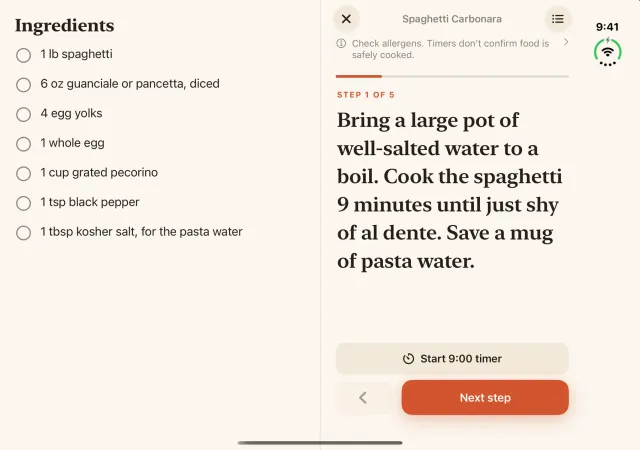
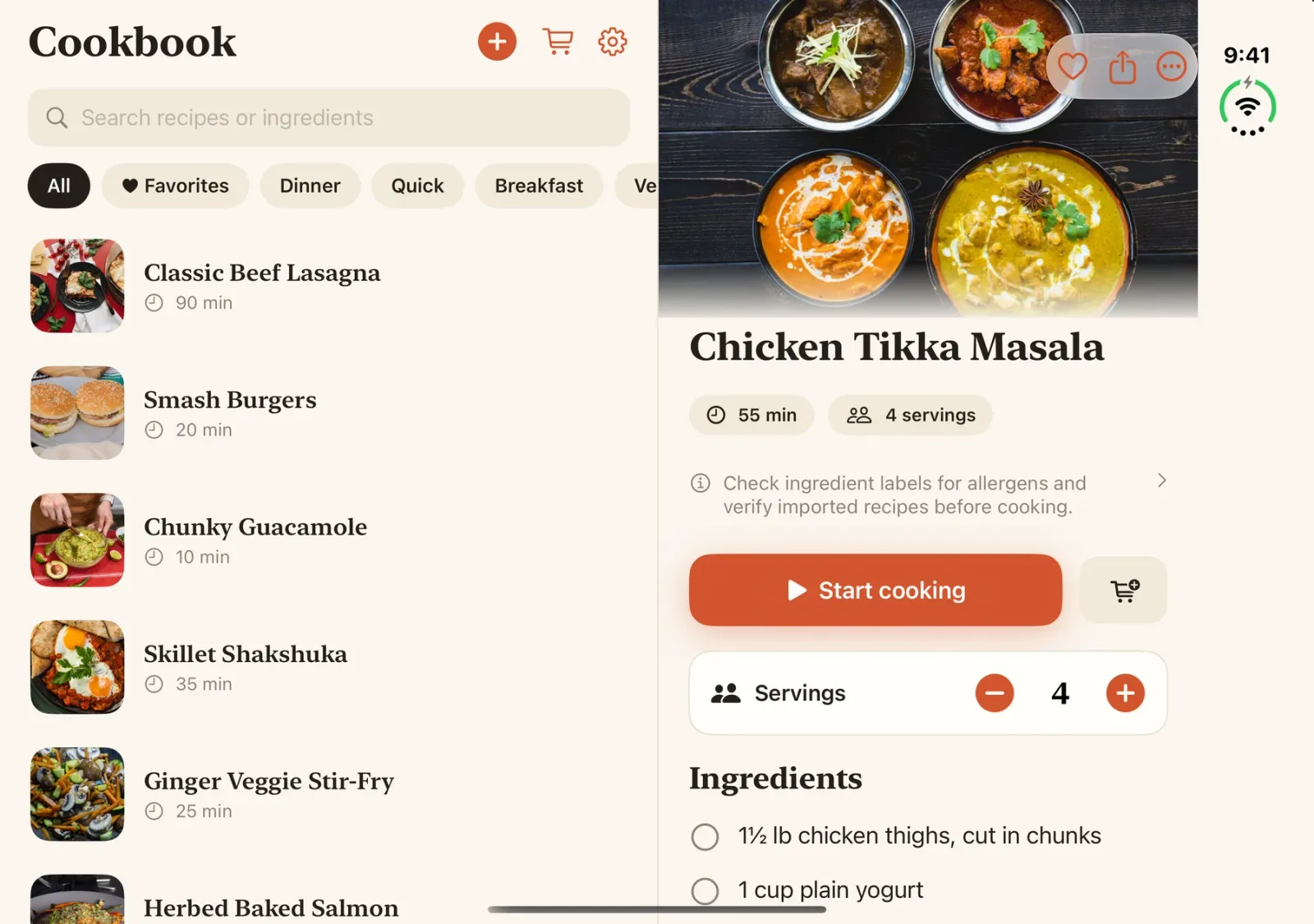
The images below are real Sousbook captures from Apple’s iPhone Duo simulator, using a sample cookbook. They show development previews, not photographs of a physical Duo. The sample recipes illustrate the interface; a new personal cookbook starts empty. The app’s cookbook and cooking features require Sousbook Pro after the sample introduction.
Why iPhone Duo makes sense as a digital recipe book
A cookbook is a good example of information that benefits from having two things visible at once. When you are reading a novel, the next paragraph is enough. When you are cooking, you need the instruction and its quantities together.
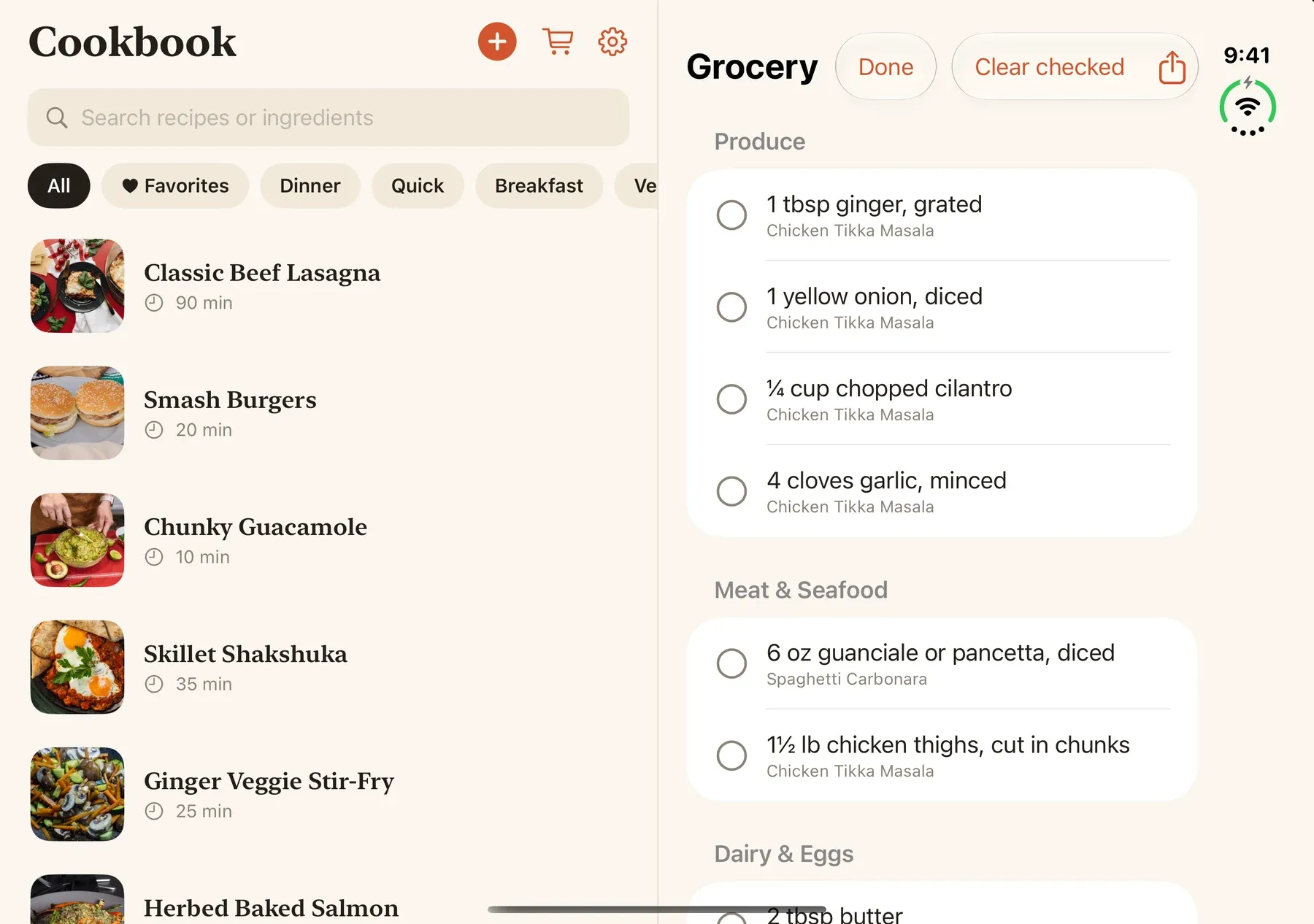
Sousbook’s expanded layout puts the recipe collection on the left and the selected recipe on the right. You can browse dinner ideas without repeatedly backing out of the recipe you just opened. Search, favorites, and categories help keep your own collection manageable.
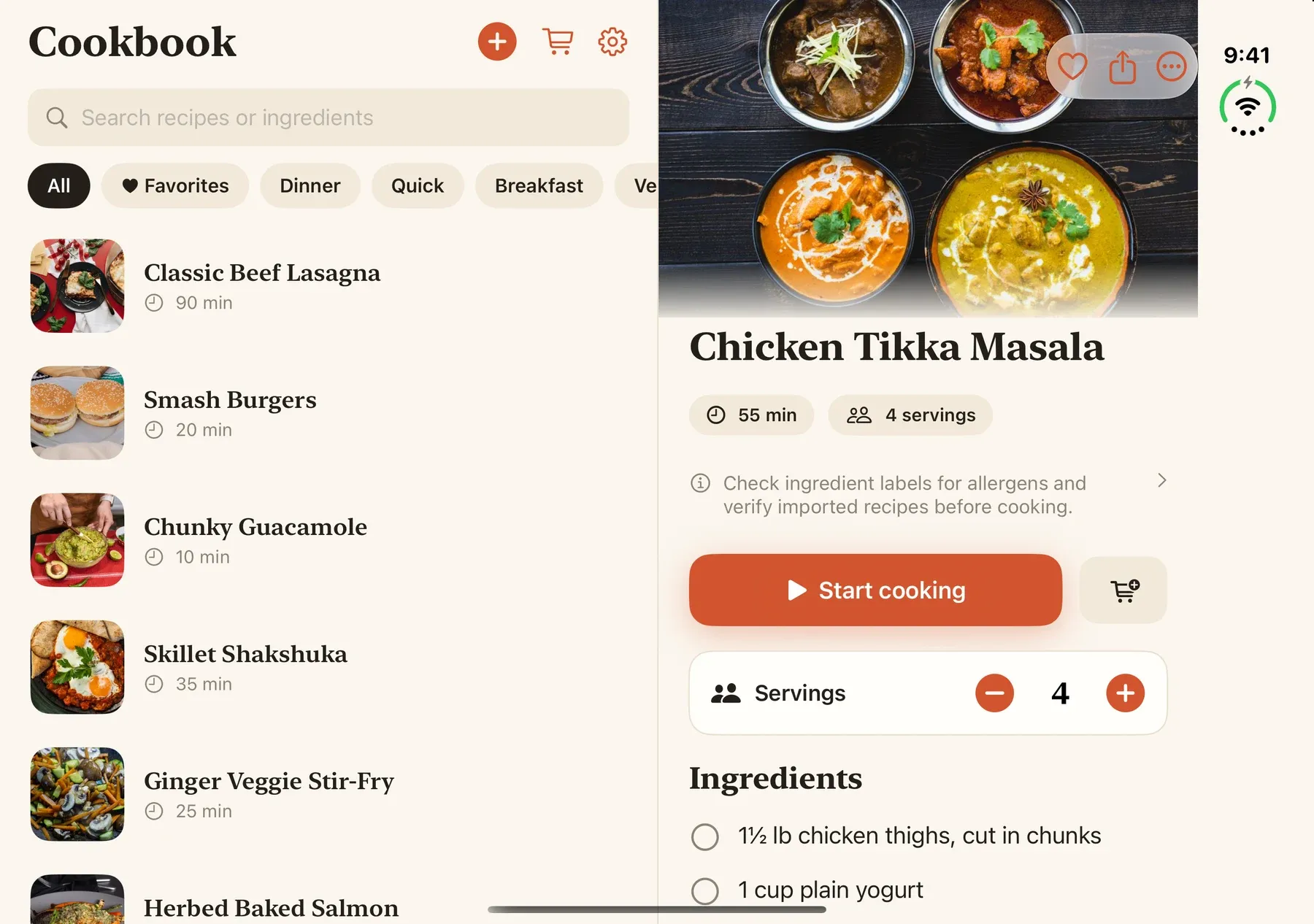
For someone who likes to cook and wants one primary recipe book, that is the appeal. Collect the recipes you return to, open one when it is time to make dinner, then take the same phone to the grocery store. There is less reason to keep a separate tablet nearby just to get a more comfortable view.
Cooking mode: ingredients beside every step
The layout I am most excited about is cooking mode. On the wider display, the ingredient checklist sits beside the current direction. You can check a quantity while reading the step, mark an ingredient as used, and move forward without losing your place.
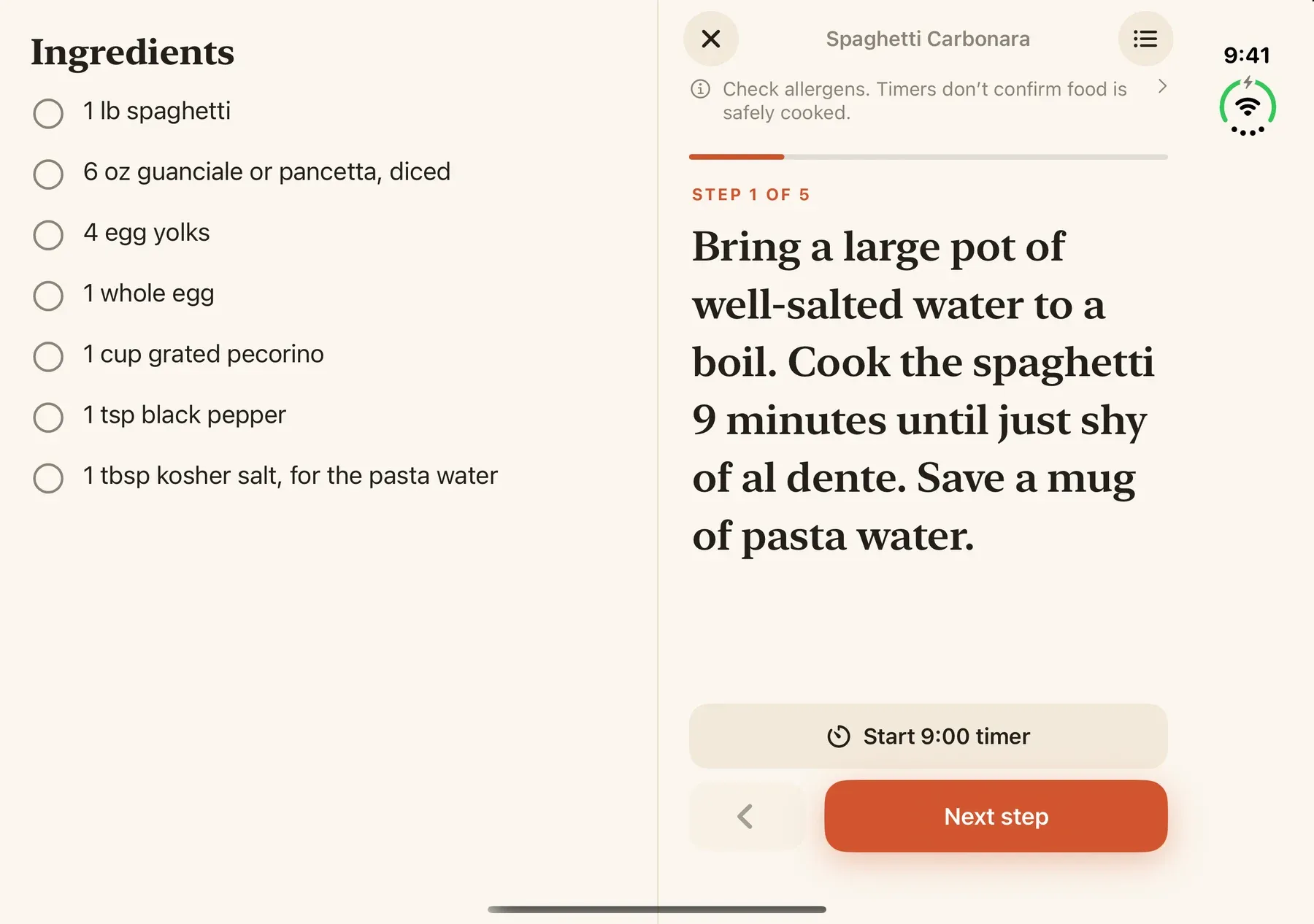
Sousbook also supports serving adjustments, US and metric units, cooking timers, and keeping the screen awake while you cook. Those features matter most when they are easy to reach in the middle of making a meal.
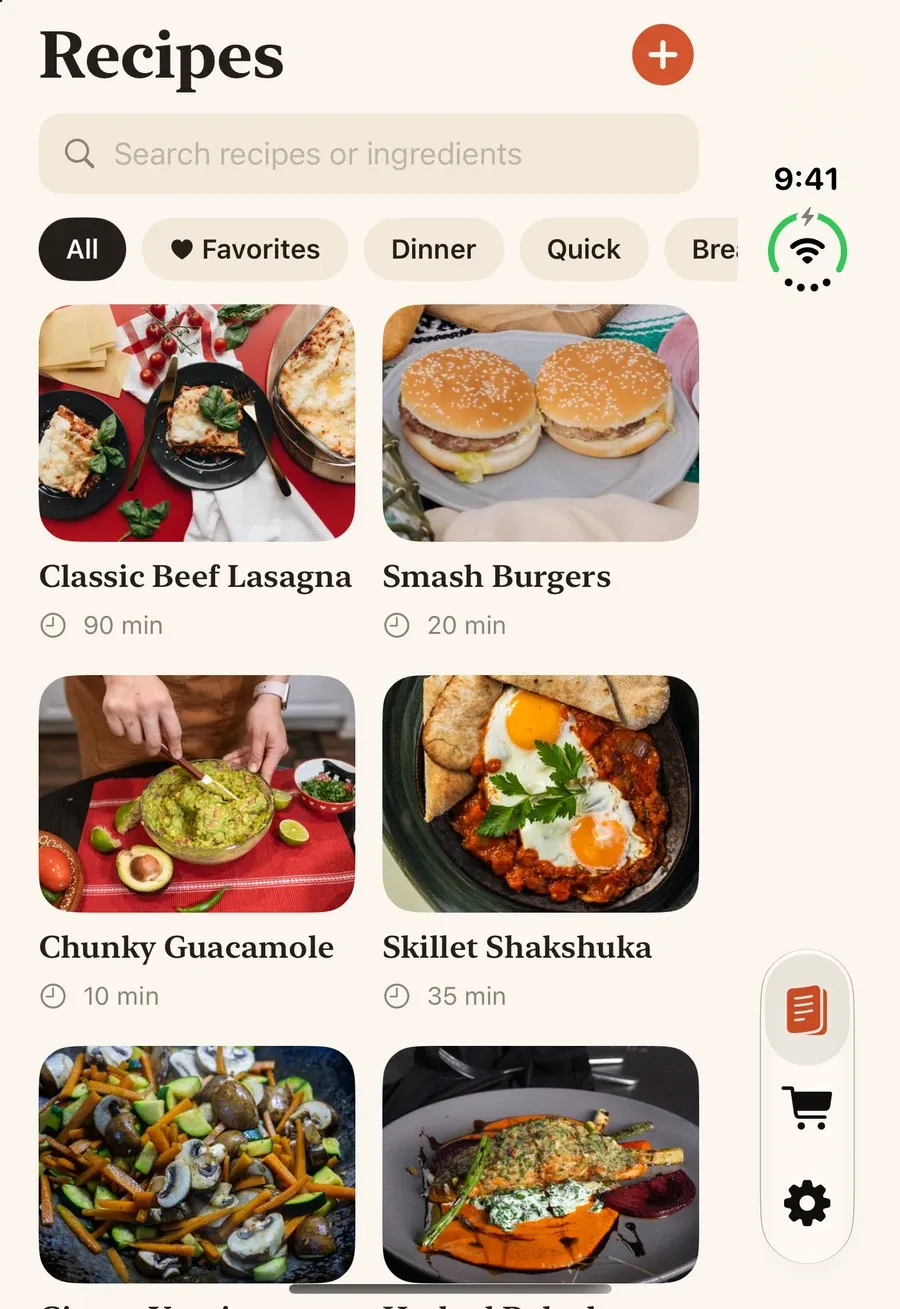
On the cover display, the app uses a compact recipe layout. Opening the phone provides room for two panes; closing it gives you a smaller view for browsing or shopping. We are building around the available space so the same cookbook works in both situations.
How we set up the iPhone Duo simulator in Xcode
We used Apple’s simulator to build and test the layouts before having Duo hardware. Our local setup has Xcode 27.1, build 27A9275, and an iOS 27.1 iPhone Duo simulator. We keep that Xcode installation alongside our regular installation and select it explicitly for Duo work.
As of October 11, 2026, Apple’s iPhone Duo developer page points developers to Xcode 27.1 Release Candidate. Apple’s system requirements list macOS Tahoe 26.6 or later for that version. Xcode 27.2 beta 2 is also listed, but 27.1 RC is the Duo toolchain Apple currently highlights.
If you want to get the iPhone Duo simulator running, the setup is:
- Get Xcode 27.1 RC from Apple Developer downloads and install it on a supported Mac.
- Open that copy of Xcode and go to Xcode → Settings → Components.
- Install the required iOS platform support and iOS 27.1 simulator runtime. Wait for installation to finish.
- Select an iPhone Duo simulator as the app’s run destination and launch the app.
- Exercise the expanded and compact displays, resizing, and folding transitions. A good screenshot in one position is only the beginning.
Apple documents component installation in Downloading and installing additional Xcode components. If Duo is missing, check the selected Xcode version and installed components first.
Save and organize recipes in your personal cookbook
Most of us already have recipes scattered across bookmarks, photos, printed pages, and messages. Sousbook is a recipe manager that brings those into one place through supported website imports, pasted text, manual entry, and camera or photo scans. Save a recipe from a supported website, add your own family recipe, or scan a printed page into your personal cookbook.
Scan printed recipes and recipe cards
You review imported text before saving. Multi-photo scanning lets a recipe span more than one page. On supported devices where Apple Intelligence is available, optional scan cleanup offers changes for review, including joining directions that were split across lines. You decide what to apply.
Read your saved recipes offline
Saved recipes are stored on the device and can be read offline. Website imports need an internet connection. Private iCloud sync is part of the app’s design, with final production acceptance checks still in progress. There is no separate Sousbook account to create. More detail is in the Sousbook privacy policy.
One concrete lesson from Duo testing: an earlier layout change dismissed an unsaved photo-import draft when the phone unfolded. We changed how the import screen stays open when the layout changes, then tested a two-photo import through open → closed → open. The draft retained its pages, title, and quantities. That kind of continuity matters if this is going to be someone’s everyday recipe book.
From saved recipes to a grocery list
A recipe collection earns its place when it helps with the next meal. Sousbook turns ingredients into a grocery list organized by aisle. On the expanded display, the cookbook can stay beside the list while you work through what you need.
Is Sousbook available yet?
Yes. Updated October 15, 2026: Sousbook is now available on the US App Store. It is our first app with iPhone Duo support. See the launch announcement for the current overview. The simulator captures and development notes in this original preview do not establish physical Duo testing.
The goal is straightforward: give people who love cooking a personal recipe book that feels at home on their iPhone, with the wider Duo display making it easier to use at the counter. Explore the Sousbook recipe organizer or contact us about Sousbook.
Questions about Sousbook and iPhone Duo
Can I use iPhone Duo as my primary recipe book?
That is the experience we are building toward: one personal cookbook for browsing, groceries, and cooking, with ingredients and steps side by side when there is enough space. The images here show the app running in the simulator.
Can Sousbook scan printed recipes?
Yes. The current app supports camera and photo imports, including multiple photos, with a review step before saving. Check the resulting text and quantities against the original.
Can I read saved recipes offline?
Yes. Saved recipes are stored locally. Importing a website, syncing through iCloud, and purchasing or restoring Pro require connectivity.
Which Xcode version did we use for iPhone Duo?
Xcode 27.1 with the iOS 27.1 simulator runtime. At the time of writing, Apple recommends Xcode 27.1 RC on its Duo developer page; check its linked requirements and downloads for updates.